
Polyglot at a Glance
In-place translation, offline Vision OCR, scrolling captures, and screen recording — native in your menubar.
Native Design, Pixel Perfection
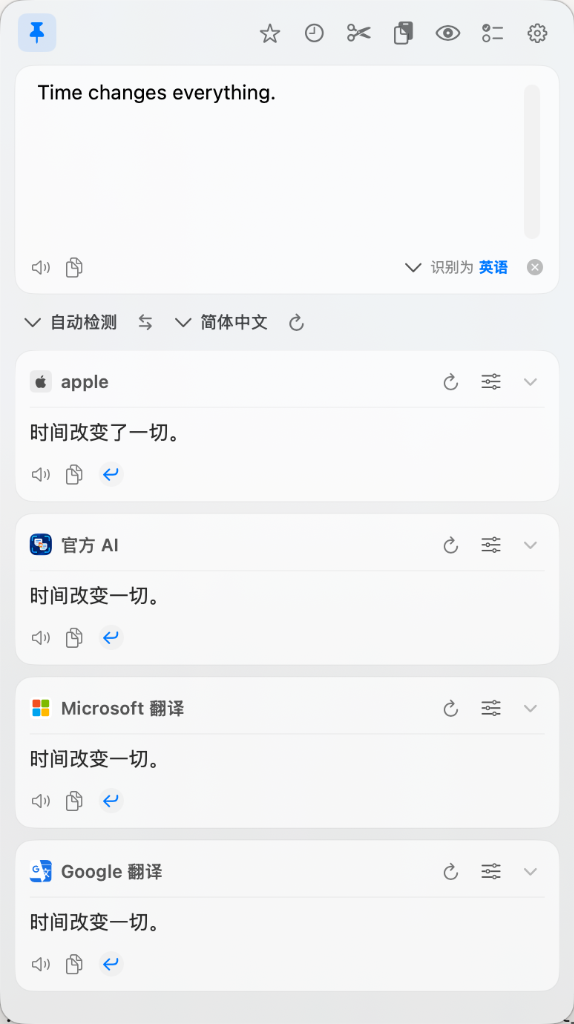
Native macOS Vibrancy Window
Built natively with Swift and SwiftUI, featuring real system frosted glass materials and dynamic dark/light mode support. Streams concurrent translations from Apple native offline translation, Official AI, Google, Microsoft, and custom models with inline retry and instant replacement.
- Multi-engine concurrent streamingCompare Apple Offline, Official AI, Google, and Microsoft in one view
- One-key replace (⌥R)Replace highlighted source text in any app with the translation
- Streaming outputNear-zero latency streaming directly to your cursor
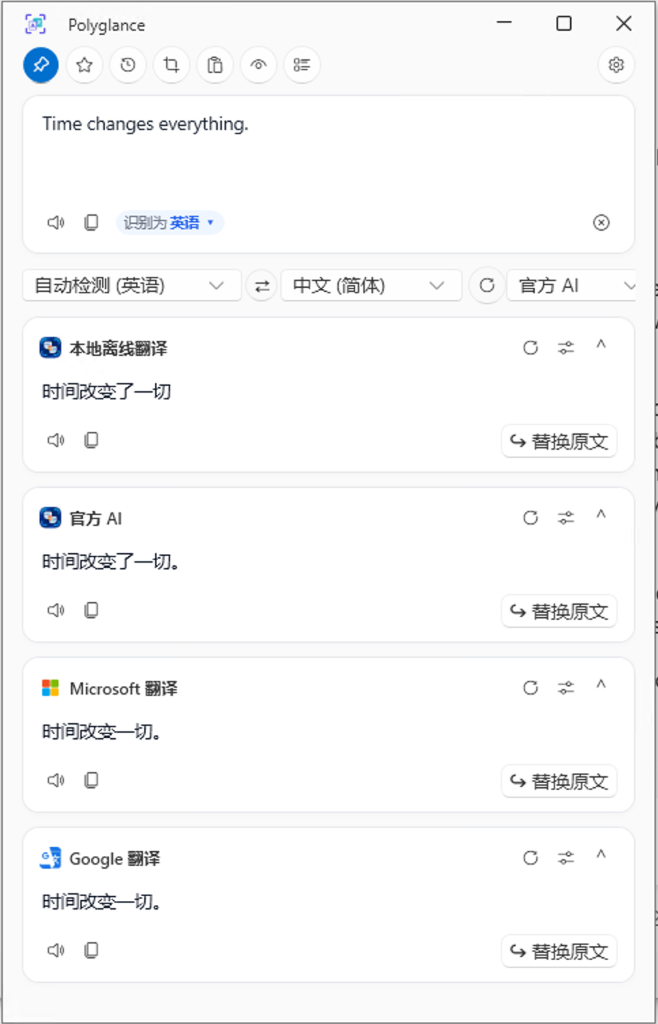
Native Windows Lightweight Flyout
Crafted specifically for Windows 10 and 11 following Fluent Design principles. Powered by .NET 9 and native Rust, supporting local offline models, Official AI, Bing, and Google with one-click in-place replacement.
- Instant selection translationAlt+D triggers an instant popover next to your selection
- In-place replacementAlt+R writes the translated text straight into your document
- Concurrent multi-engineLocal offline models, Official AI, Bing, and Google side by side
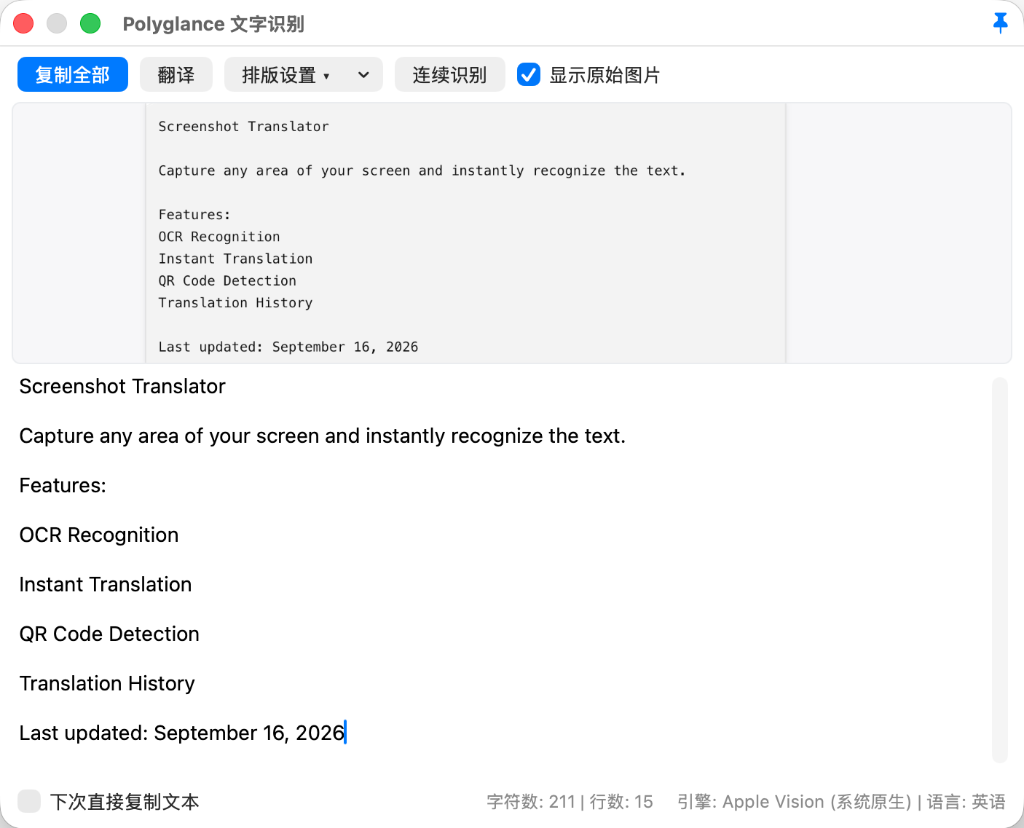
On-Device Vision OCR Workspace
Powered by Apple Vision and PaddleOCR offline models. Extract words and text blocks from screen captures completely on-device without sending images to the cloud.
- Privacy first100% on-device local recognition, images never leave your computer
- Continuous recognitionTake sequential captures without reopening windows
- Clean layout preservationAutomatic line merge, whitespace cleanup, and one-click export
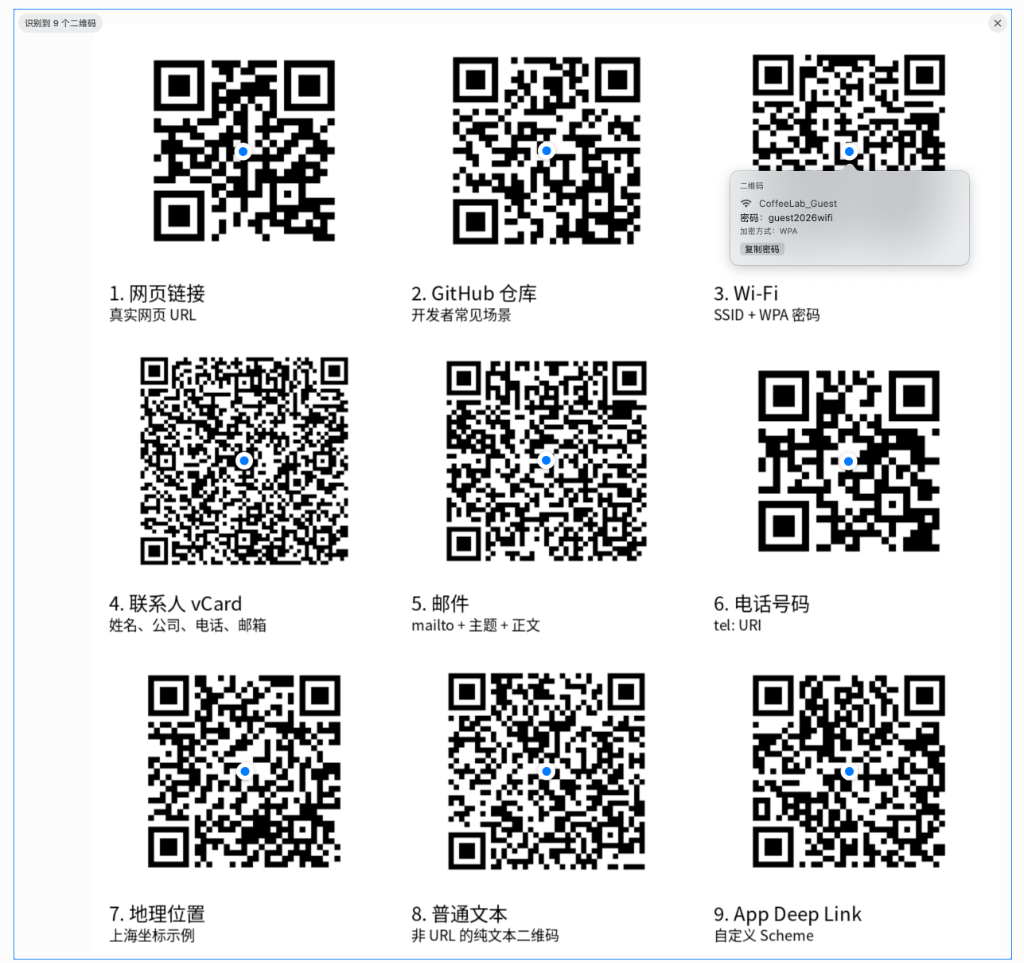
Multi-QR Code Recognition & Parsing
Simultaneously detects and parses all QR codes in any capture region. Deeply analyzes Wi-Fi credentials, URLs, vCards, emails, phone numbers, and custom schemes with one-click copy and connect.
- Multi-code detectionHighlights and tracks multiple QR codes concurrently on screen
- Wi-Fi auto-extractParses wireless network SSID and password with one-click copy
- Structured protocolsSupports web URLs, contact cards, mailto, tel, and deep links
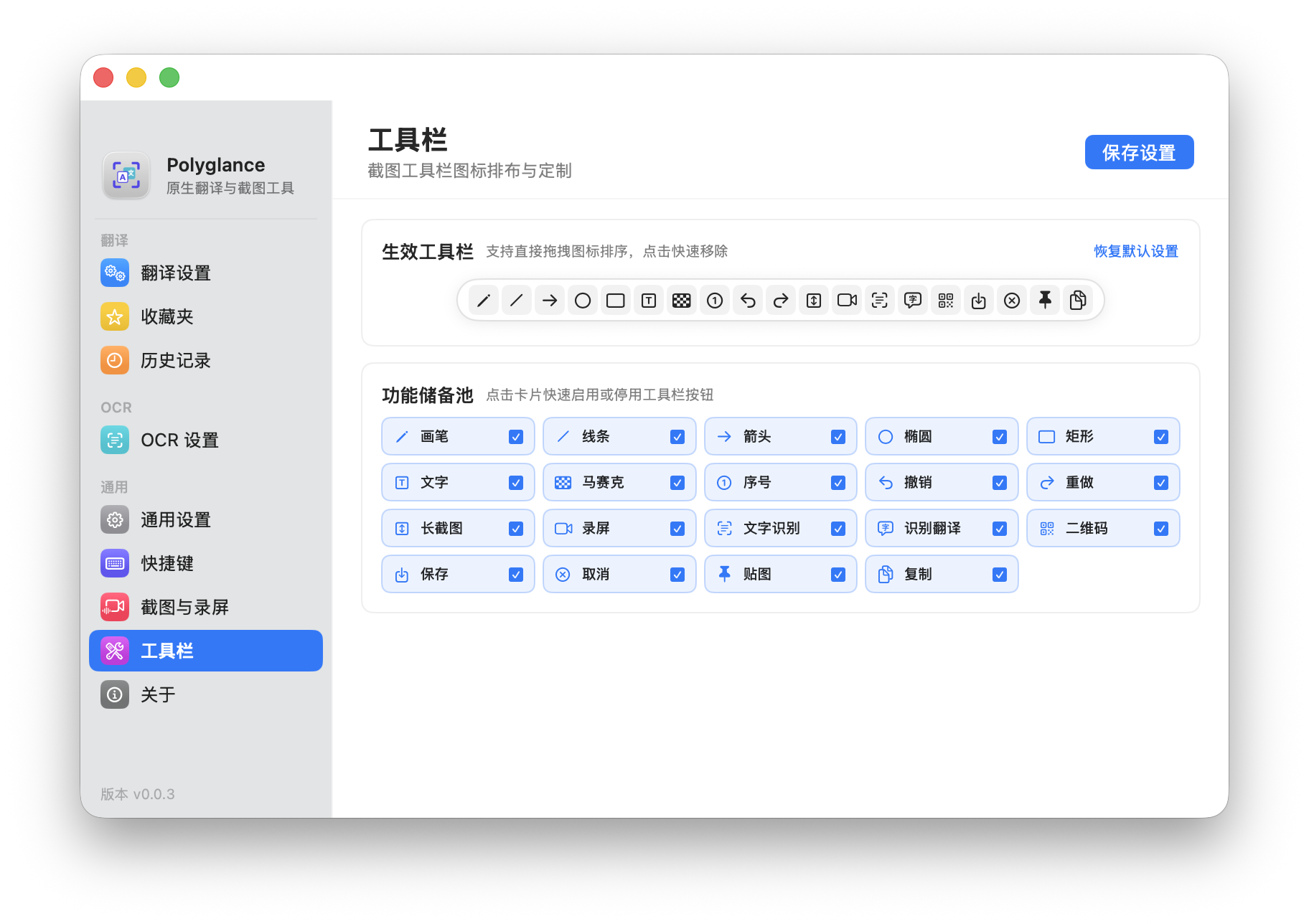
Deep Toolbar Customization
Reorder pins and active tools by dragging capsules, or toggle tools from the reserve pool. Pin brush, text, mosaic, scrolling capture, region screen recording, and QR code tools tailored to your workflow.
- Direct drag & drop reorderIntuitive drag sorting for screenshot tools
- Responsive UI scalingToolbar elements scale proportionally with mouse drag and zoom
- One-click restoreInstantly reset to recommended default tools
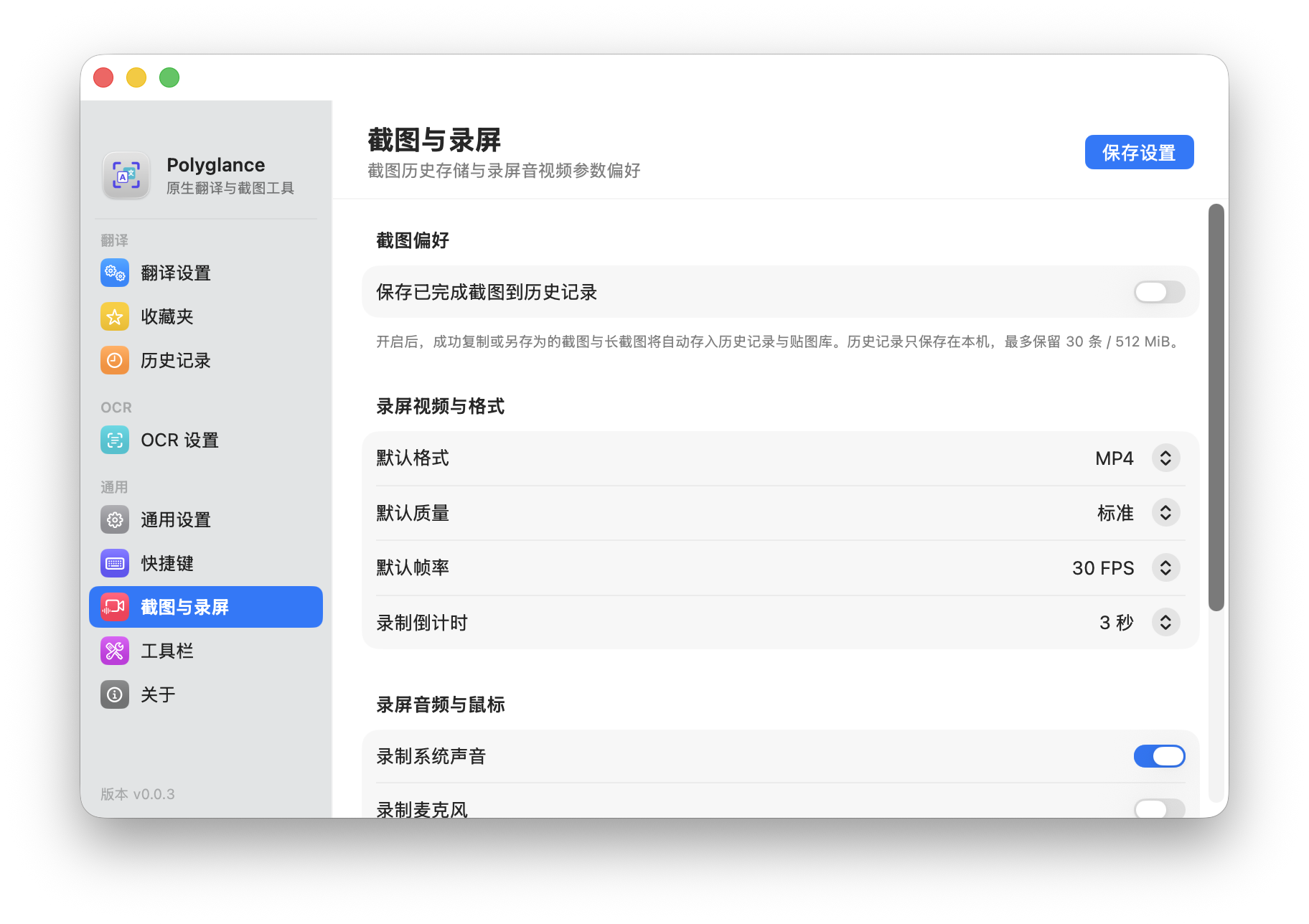
Dedicated Capture & Recording Settings
Dedicated settings panel to manage auto-pin history archiving, export formats (crisp MP4 or optimized GIF), framerates, countdown timers, and audio inputs.
- Internal & microphone audioRecord crisp internal system sound with optional voiceover
- High-quality GIF exportFlexible FPS and quality presets for animated demos
- Automatic history archiveCaptured and copied images auto-archive into pin history
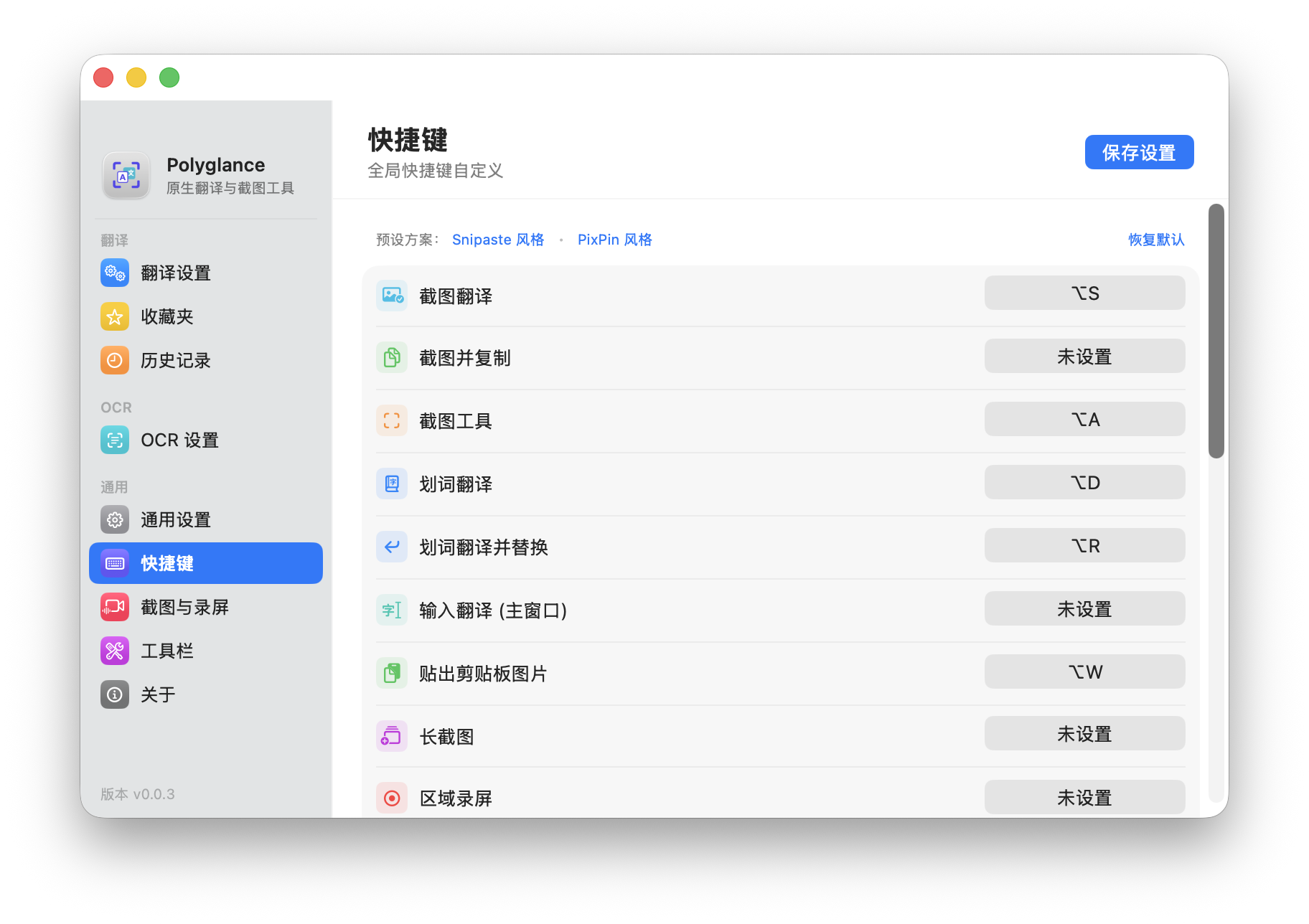
Global Shortcuts & Industry Presets
Every action supports customizable hotkeys. Includes built-in Snipaste and PixPin preset schemes so you can retain your existing muscle memory effortlessly.
- One-click preset switchInstant migration between Snipaste and PixPin keybindings
- Real-time conflict detectionAlerts you immediately if a shortcut is reserved by the OS
- macOS & Windows consistencyMatching keyboard logic and intuitive mappings
Built for Speed and Flow
Selection Translation & In-Place Replacement
Built-in free translation services. Select text in any window and press ⌥D / Alt+D for instant streaming translation, or press ⌥R / Alt+R to translate and replace the selected text directly without copy-paste.
Native Offline OCR & Screen Translation
Runs on-device via Apple Vision & Windows Media OCR. Press ⌥S / Alt+S for side-by-side screen translation, or ⌥C / Alt+O to extract text with word-level selection.
Multi-QR Code Recognition & Parsing
Detects and locates multiple QR codes in capture areas concurrently. Automatically parses Wi-Fi passwords with one-click copy, supports URLs, vCards, and custom schemes.
Scrolling Long Capture
Seamless auto-stitching for vertical documents, code listings, or chat histories with lossless high-DPI export.
Region Screen Recording & Audio Loopback
Record custom regions to crisp MP4 or lightweight GIF animations with simultaneous system sound and microphone narration capture.
Color Loupe & Desktop Pinning
Inspect pixel colors and copy HEX / RGB with C. Pin images floating on screen with ⌥W / Alt+V and restore closed pins with ⌥⇧W / Alt+Shift+V.
Why Choose Polyglance?
| Features | Polyglance | Traditional Translators | Standard Snipping Tools |
|---|---|---|---|
| Setup | Zero-config, built-in free endpoints | Manual API registration & keys | — |
| OCR Privacy | 100% On-Device native algorithms | Uploads images to third-party cloud | Often cloud-based |
| All-in-One | Translate + OCR + Scroll + Record + Pin | Translate only | Screenshots only |
| Memory Footprint | Native speed (< 30MB RAM) | Heavy Electron apps (200MB+) | Varied |
| Cost | 100% Free & Open Source | Subscription / character limits | Paid license tiers |
Frequently Asked Questions
Is an API key really not required?
Yes. Polyglance includes free Microsoft and Google endpoints out of the box. You can also configure DeepSeek, OpenAI, or Claude if you prefer LLM-based translations.
Is my screen content secure?
Completely. OCR processing runs entirely locally on macOS Apple Vision and Windows Media OCR. Zero telemetry or network tracking.
Prompted "Damaged and cannot be opened" on macOS?
As a free open-source tool without paid Apple commercial notarization, Gatekeeper isolates downloads. You can unblock it via:
- Method 1 (System Settings·Recommended): Dismiss the alert, go to "System Settings → Privacy & Security", and click "Open Anyway".
- Method 2 (Finder Right-Click): In Applications, hold Control and click Polyglance, choose "Open", then confirm.
- Method 3 (Terminal Command): Open Terminal and run
xattr -cr /Applications/Polyglance.appto remove quarantine.
Does it support auto-updates?
Yes. macOS integrates Sparkle updates, and Windows includes an automatic update checker.